A statement can look reassuringly precise: investment names, units and amounts arranged in neat rows. Before carrying those numbers into your tracker, check what the document actually describes. The title, date and scope are part of the information, not decoration.
1. Find the reporting period
Look for the date the holdings or values represent. It may differ from the download date or the date printed in a message. A statement covering a period may contain both movements during that period and a closing position. Keep those concepts separate when making your summary.
2. Check whose records are included
Read the owner and account coverage. A document for one person or account cannot establish the whole family position. If a source contains several folios, retain that distinction. Use masked references in ordinary shared notes, while keeping the original source in an appropriately restricted location.
3. Read the labels beside amounts
Quantity, purchase cost, reported value and cash movement answer different questions. Do not move an amount into a different column because it seems plausible. If a source omits a value or its basis, record the uncertainty. A missing amount is not evidence of a zero balance.
4. Do not infer returns from one total
A single statement value does not establish how much an investment earned. A change between two statements can include contributions, withdrawals, transfers, price changes or corrections. Without the required transaction and valuation information, describe the observed change rather than calling it a return.
5. Match a sample of entries to the original
Check names, identifiers, units, signs and dates after copying or extracting information. Resolve errors before treating the summary as reviewed. For a small statement, inspect every relevant row. For a larger document, start with high-risk fields and still keep any unreviewed coverage explicit.
6. How Punjii.com can help
Punjii’s approach keeps reviewed investment records connected to their source. When using a supported upload workflow, treat extraction as a draft to check. Confirm the owner and compare the proposed fields with the original statement. An accepted upload should not be taken as proof that every issuer format is certified or that live prices are connected.
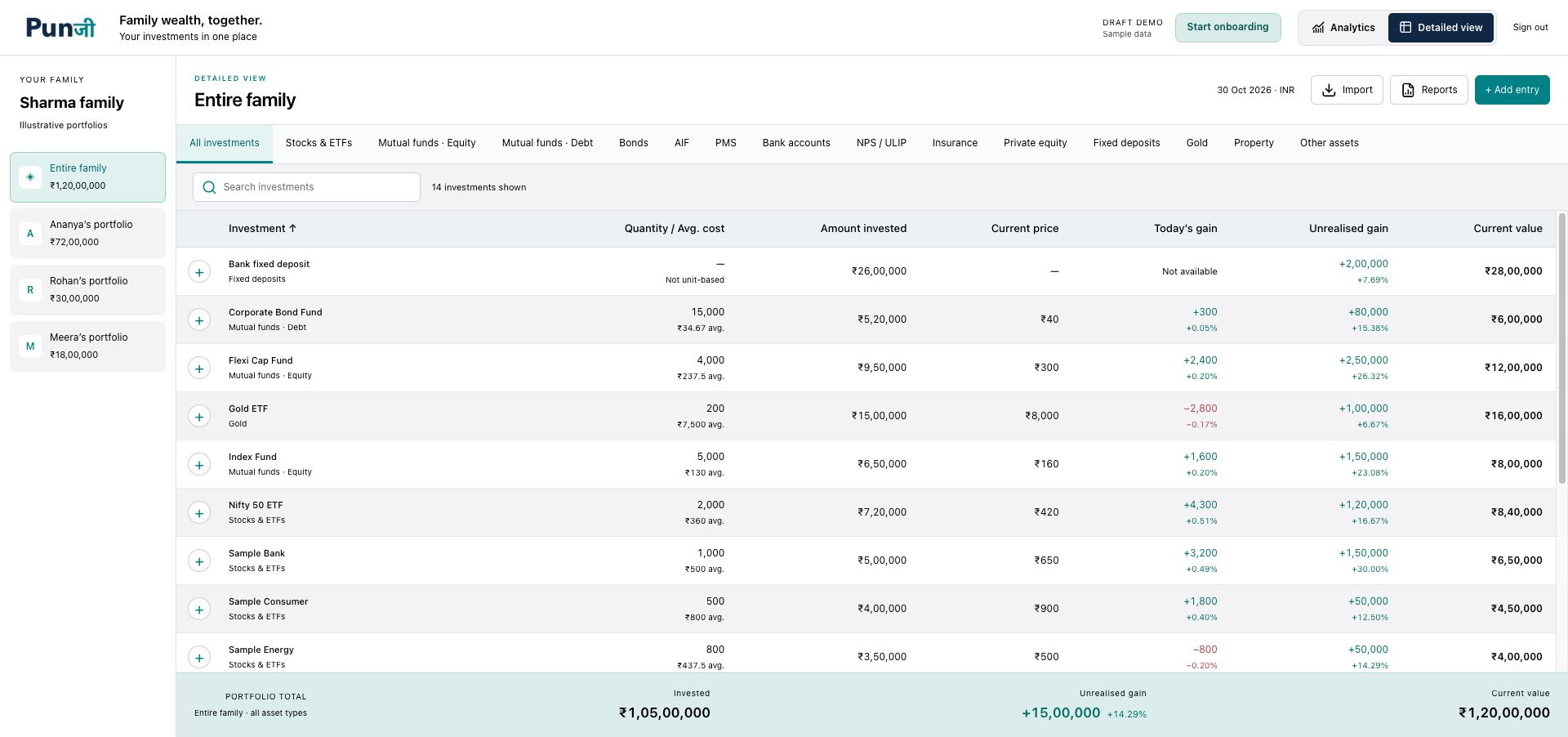
7. Keep a useful source note
Add a short note to your tracker: source, as-of date, owner, scope and unresolved fields. That small amount of context makes the figures easier to revisit. If someone asks what a number means next month, you will know which document and label to check.
For record-keeping and account-safety guidance, see SEBI’s securities-market do’s and don’ts.
Join the Punjii beta waitlist for availability and access updates. Private beta is opening in stages.
Punjii is an investment tracking app. It does not provide investment advice or product recommendations.